Showing posts with label windows. Show all posts

Free news/RSS reader out of web browser


QuiteRSS is a open-source cross-platform RSS/Atom news feeds reader 
Running on my ubuntu


Features

  • Embedded browser (Webkit core)
  • Feed and news filters: new, unread, starred, deleted (for news until restart application)
  • User filters
  • Proxy configuration: automatic or manual
  • Feed import wizard: Search feed URL if site URL was entered
  • Adblock
  • Click to Flash
  • Mark news starred
  • Automatic update feeds: on startup, by timer
  • Automatic cleanup on close using criterias
  • Enable/Disable images in news preview
  • Ability to quickly hide feed tree (for comfortable viewing)
  • Open feed or news in own tab
  • Quick news filter and quick search in browser
  • Sound notification on new news
  • Popup notification on new news
  • Show new or unread news counter on tray icon
  • Minimize on system tray: on start, on close, on minimize
  • Import/Export feeds (OPML-files)
  • Portable (Windows)
  • Free working set (Windows)
  • Shortcuts
  • Check for updates
  • Cross-platform
  • Multilingual
  • Open-source ;)

Platform

  • Windows
  • Linux(32 Bit & 64 Bit)
  • OS/2
  • Mac OS X

One of the best WiFi scanner - Acrylic WiFi

Acrylic WiFi is a Free WiFi scanner that displays WiFi access points and connected devices, shows information of the security mechanisms and obtains generic WiFi passwords thanks to a plugins system. Our WiFi scanner is able to gather information from 802.11/a/b/g/n/ac networks.
  • Access points: WiFi networks information (SSID/BSSID) and connected users.
  • Signal level: Signal quality charts for WiFi channels and detected devices.
  • Inventory: Naming known Wi-Fi devices.
  • Passwords: WiFi passwords and default WPS Keys (password testing).
  • Channels: WiFi channel scanner and WiFi networks through channels in 2.4Ghz and 5Ghz.
  • Security: Network authentication and security details for WEP, WPA, WPA2 and Enterprise (802.1X) WiFi networks.
  • Hardware: No special hardware is required for its operation. For best results check out our monitor mode compatible hardware list.

interactive VIM learning

Vim is a highly configurable text editor built to enable efficient text editing. It is an improved version of the vi editor distributed with most UNIX systems. Vim is distributed free as charityware


www.openvim.com


www.vim-adventures.com


www.vimgenius.com


Chocolatey (like apt-get or yum but for Windows)


Chocolatey is a package manager for Windows (like apt-get or yum but for Windows). It was designed to be a decentralized framework for quickly installing applications and tools that you need. It is built on the NuGet infrastructure currently using PowerShell as its focus for delivering packages from the distros to your door, err computer.
Chocolatey is brought to you by the work and inspiration of the community, the work and thankless nights of the Chocolatey Team, and Rob heading up the direction.
You can host your own sources and add them to Chocolatey, you can extend Chocolatey's capabilities, and folks, it's only going to get better.
With all of this in mind, think of Chocolatey as a framework that you can build on top of. Chef, Puppet and Boxstarter all have ways for using Chocolatey to ensure the state of a computer and packages installed. Even Microsoft has decided to use Chocolatey's framework with the upcoming OneGet client! See Jeffrey Snover's post for more information.

install:
choco install packageName
or shortcut with  cinst packageName
and for multiple packages
cinst pckg1 pckg2 ...
update:
chocolatey update packageName 
or shortcut with  cup packageName
update all packages
cup all 
uninstall:
chocolatey uninstall packageName 
or shortcut with cuninst packageName
Wiki Homepage

SSH SFTP client Tunnelier


Tunnelier is our SSH and SFTP client for Windows which incorporates:
one of the most advanced graphical SFTP clients;
 
state-of-the-art terminal emulation with support for the bvterm, xterm, and vt100 protocols;
support for corporation-wide single sign-on using SSPI (GSSAPI) Kerberos 5 and NTLM user authentication, as well as Kerberos 5 host authentication;
support for RSA and DSA public key authentication with comprehensive user keypair management;
powerful SSH port forwarding capabilities, including dynamic forwarding through integrated SOCKS and HTTP CONNECT proxy;
powerful command-line parameters which make Tunnelier highly customizable and suitable for use in specific situations and controlled environments;
an advanced, scriptable command-line SFTP client (sftpc);
a scriptable command-line remote execution client (sexec) and a command-line terminal emulation client (stermc);
an FTP-to-SFTP bridge allowing you to connect to an SFTP server using legacy FTP applications;
WinSSHD remote administration features;
single-click Remote Desktop forwarding.


BurnAware Free

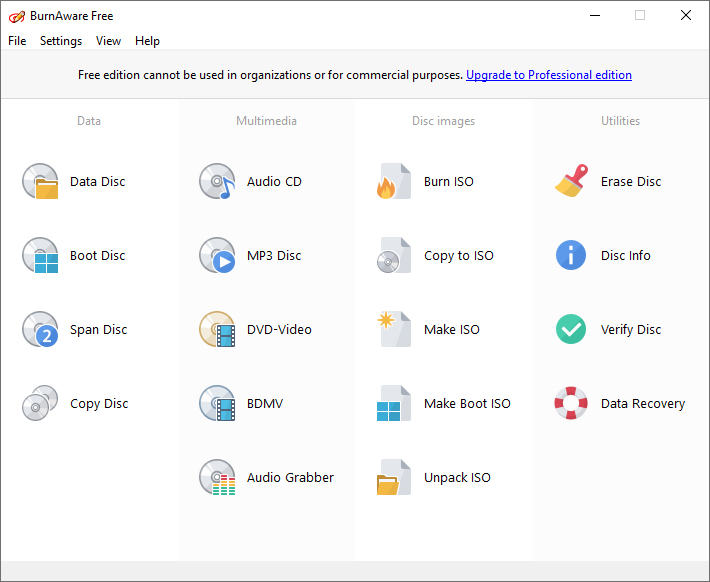
Burnaware Free es un progama gratuito de grabación de CDs, DVDs y discos Blu-ray. Es el programa perfecto para el usuario con necesidades basicas de grabación de discos de audio, video y datos. De muy facil instalacion, posee una interfaz simple lo que te ayudará a realizar tus tareas de grabacion mucho mas rápidas.


windows alternative network manager PE Network Manager


Description


PENM ("PE Network Manager") is a small utility to install and manage different network settings in a Windows PE.
Mostly it is used by "WinBuilder" projects like "LiveXP", "Win7PE", etc.
The utility is developed under the BSD-license type and AutoIt3-EULA.


Windows 7 as AP , Hotspot with Netsh


Share your network connection with any  WiFi device ( laptop,desktop Pc, mobile phone...)
without any extra software in your windows 7


Step 1

  1. Run CMD as administrador  
  2. Launch this command (change NameofWan , WLankey)

netsh wlan set hostednetwork mode=allow ssid=NAMEofWLAN key= Wlankey

Step 2

  1. Go to Control Panel > Network and Sharing Center>Change adapter settings 
  2. right click on internet adapter and select properties 
  3. Click the sharing tab
  4. Mark the box "Allow other network users to connect"
  5. Choose the virtual WiFi adapter  and  click OK

Step 3 

  1. Open CMD as administrador and launch

netsh wlan start hostednetwork

END 

Other Netsh useful commands

To stop Hosted network ( virtual WiFi):

netsh wlan stop hostednetwork

To see hosted networks and configuration :

netsh wlan show hostednetwork

To see Hosted network  security information:

netsh wlan show hostednetwork security

For more commands  use:

  netsh wlan ?


Glary soft - Absolute Uninstaller


Absolute Uninstaller

  • Automatically detect unused files left by uninstaller and completely delete them
  • Very fast speed listing programs,no need to wait.
  • Autofix invalid program entries.
  • List installed programs with appropriate icons
  • Simple and User friendly interface


Absolute Uninstaller is similar to standard Windows Add/Remove program but more powerful.The standard Add/Remove program can't uninstall applications completely which often leaves broken registry keys ,unnecessary files on the hard disk.The more junk files your computer have ,the slower it runs. Uninstall Manager can wipe off all the junk files clearly in seconds.It offers a more user-friendly way to remove unneeded applications and to improve your computer efficiency


Emulador de Android para Windows


Para poder emular Android en  un sistema operativo Windows se necesita uno de los programas listados a continuacion:

Youwave:
YouWave es un programa de pago  que emula  Android
Con YouWave podrás probar aplicaciones y juegos para Android y ver exactamente como se verían en un teléfono con Android.
YouWave lo simula todo, desde la interfaz de Android hasta el teclado táctil. Además, YouWave ofrece varias funcionalidades destacadas: soporta Android 2.3 Gingerbread, simula una tarjeta SD para grabar partidas de juegos y permite ejecutar juegos multijugador online.Activador


Bluestacks: 
BlueStacks App Player gratuito  que  permite utilizar aplicaciones y juegos para Android desde Windows, emulando el aspecto de un tablet o smartphone en tu monitor.
Podrás descargar aplicaciones desde el programa y utilizarlas usando el ratón y el teclado. La respuesta es excelente incluso con los juegos, en los que puedes simular el acelerómetro del móvil.
Una opción muy interesante es sincronizar tu móvil Android con BlueStacks App Player. Al hacerlo, podrás acceder a las aplicaciones que has instalado en tu teléfono y disfrutar de ellas a pantalla completa

Android SDK:
Android SDK es el kit gratuito  de desarrollo necesario para programar e implementar todo tipo de aplicaciones para Android, el sistema operativo para teléfonos móviles de Google.
Este paquete o kit de desarrollo incluye las APIs y herramientas necesarias para desarrollar las aplicaciones utilizando JAVA como lenguaje de programación y testear el código, respectivamente.
Las librerías adjuntas en Android SDK son compatibles con los siguientes entornos de desarrollo: Eclipse, JDK5 o JDK6, Android Development Tool Plugin y Apache Ant

 ------
Whatsapp para PC 

Whatsapp para Windows

Share your internet connection Hotspot,Ad-Hoc,VirtualAP...

Connectify es una utilidad  que te permite  transformar  tu PC con conexion a internet  en un router virtual WiFi (Hotspot) de manera que  podras conectarte a internet con otros dipositivos  como telefonos moviles , PSP ,Tablets...


Iniciar,Correr,Instalar... una distribución de linux desde un pendrive


Introduction

UNetbootin allows you to create bootable Live USB drives for Ubuntu, Fedora, and other Linux distributions without burning a CD. It runs on Windows, Linux, and Mac OS X. You can either let UNetbootin download one of the many distributions supported out-of-the-box for you, or supply your own Linux .iso file if you've already downloaded one or your preferred distribution isn't on the list.

Requirements

  • Microsoft Windows 2000/XP/Vista/7, or Linux, or Mac OS X 10.5+. Note that resulting USB drives are bootable only on PCs (not on Macs).
  • Internet access for downloading a distro to install, or a pre-downloaded ISO file

Features

UNetbootin can create a bootable Live USB drive, or it can make a "frugal install" on your local hard disk if you don't have a USB drive. It loads distributions either by downloading a ISO (CD image) files for you, or by using an ISO file you've already downloaded.

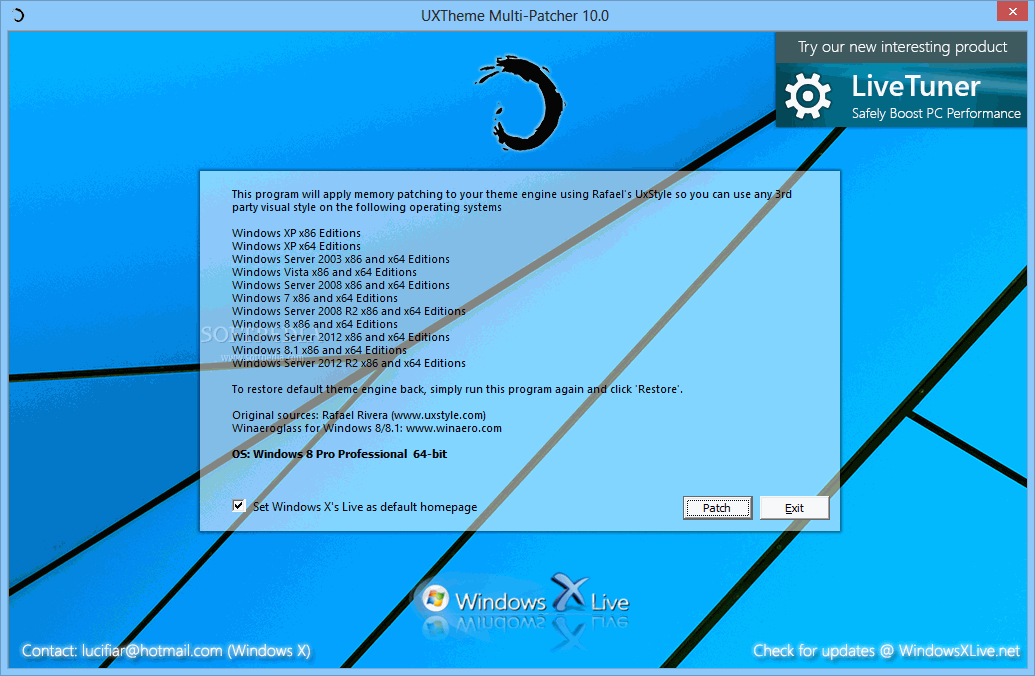
Uxtheme Multi-patcher 7.1


This program will patch your theme engine files so you can use any 3rd party visual style


Since Windows XP was released, there are countless 3rd-party visual styles released by many skinners in order to improve user's experiences and eye candy. To use non-certified visual style is disallowed by Microsoft's certificate protection so you need to bypass certification verification in uxtheme.dll.

This program will patch your theme engine files so you can use any 3rd party visual style on the following operating systems (non-beta releases only):
· Windows XP x86 Editions (up to Service Pack 3)
· Windows XP x64 Editions (up to Service Pack 2)
· Windows Server 2003 x86 and x64 Editions (up to Service Pack 2)
· Windows Vista x86 and x64 Editions (up to Service Pack 2)
· Windows Server 2008 x86 and x64 Editions (up to Service Pack 2)
· Windows 7 x86 and x64 Editions

However, please remember that you are advised to create a restore point before using this patch in order to maje sure you don't lose any data or settings.
What's New in This Release: [ read full changelog ]

· Changed patching engine to deepxw's universal theme patcher
· Fixed restore not available after patching in some system like Windows 7 x64
· Improved algorithm for program to be more safe in some unexpected cases

Reasons why this program is marked as ad-supported:

· Offers to change the homepage for web browsers installed in the system

 Download from SoftPedia

Sandboxie


Wikipedia
Sandboxie actúa de forma previa a las infecciones en las computadoras equipadas con Windows. Este software aísla dentro de su contenedor los archivos de navegación y los de funcionamiento de las aplicaciones que controla.

Los softwares (navegadores y otros) ejecutados por medio de Sandboxie y los archivos telecargados están encerrados en unas réplicas de los directorios normalmente utilizados. Además, Sandboxie hace una copia de una parte del registro de Windows para proteger el original contra las inserciones malévolas de claves y valores.
Así, cuando un programa se está ejecutando dentro de Sandboxie, las modificaciones efectuadas no son efectivas en los archivos auténticos, y los parásitos y los bugs encerrados en el interior del contenedor no alteran el sistema operativo. De la misma manera, los malwares de toda clase quedan acantonados dentro de la bandeja de arena. Las novedades o los cambios de interés se deberán registrar fuera del sandbox después de un control de validez.
Además, Sandboxie evita desde la zona que controla toda inyección en el kernel de Windows (driver, DLL). Así, actúa de cierta manera (pero a un nivel distinto) como el sistema PatchGuardsupervisor, sea malicioso o no. de Windows Vista 64 bits impidiendo el funcionamiento de todo software en modo
Bastará con vaciar el contenido del sandbox antes de acabar una sesión de utilización del ordenador para que todos los rastros inútiles o peligrosos aislados en él sean definitivamente borrados del disco: malwares, histórica y contenido del caché de navegación, etc.

CHKDSK


CHKDSK
es utilizado para comprobar la integridad tanto de unidades de
disco duro como unidades de disco flexible, y para reparar errores lógicos en el sistema de archivos. Es similar al comando fsck bajo Unix
.


Syntax

chkdsk [volume:][[Path] FileName] [/f] [/v] [/r] [/x] [/i] [/c] [/l[:size]]


Parameters

volume: : Specifies the drive letter (followed by a colon), mount point, or volume name.

[Path] FileName : Specifies the location and name of a file or set of files that you want chkdsk to check for fragmentation. You can use wildcard characters (that is, * and ?) to specify multiple files.

/f : Fixes errors on the disk. The disk must be locked. If chkdsk cannot lock the drive, a message appears that asks you if you want to check the drive the next time you restart the computer.

/v : Displays the name of each file in every directory as the disk is checked.

/r : Locates bad sectors and recovers readable information. The disk must be locked.

/x : Use with NTFS only. Forces the volume to dismount first, if necessary. All open handles to the drive are invalidated. /x also includes the functionality of /f.

/i : Use with NTFS only. Performs a less vigorous check of index entries, reducing the amount of time needed to run chkdsk.

/c : Use with NTFS only. Skips the checking of cycles within the folder structure, reducing the amount of time needed to run chkdsk.

/l[:size] : Use with NTFS only. Changes the log file size to the size you type. If you omit the size parameter, /l displays the current size.

/?: Displays help at the command prompt.

Cleano


Clean temporary files immediately or on login.
"Cleano" will allow you to fix:
  • Clean all choices on login
  • Clean User's Temp.
  • Clean User's Recent Items.
  • Clean User's NetHood Items.
  • Clean User's Internet Explorer.
  • Clean User's Desktop Run History.
  • Clean Windows Prefetch files.
  • Clean Windows temp.
  • Clean User's Coustom folders

Licence Freeware

Download Cleano 0.67 :


GeoWin2000

Convertir archivos Bat a Exe


Quick Batch File Compiler convert your batch files into actual program (.EXE format)
in one click. This program may be run on Windows 2000/2003/XP/Vista without any limitations. An .EXE file is much harder to casually reverse-engineer, so this could be a way to conceal a particular batch file's operations from an end user. Content of your batch file will be encrypted and protected from changes.
Quick Batch File Compiler also lets you set various resources in the .EXE file, such as its description, the company name, version information and even the application icon. In additional, you may include any files to compiled exe file and use it during execution.


NET frameworks cleanup utility


Utilidad que ayuda a reinstalar .NET Framework.


Process Hacker

es una analizador de procesos que proporciona gran cantidad de información a cerca de cada programa o servicio en ejecución.

El programa muestra una lista de procesos en la que cada uno aparece coloreado indicando si se trata de un proceso del sistema, del usuario, si es nuevo, el tiempo que lleva en ejecución, etc.

Además, Process Hacker informa sobre todos los tipos de memoria que está utilizando cada programa, los archivos que usa el programa en ejecución, etc.


Introduction

Process Hacker is a feature-packed tool for manipulating processes and services on your computer.

Key features of Process Hacker:

  • A simple, customizable tree view with highlighting showing you the processes running on your computer.
    Process Hacker
  • Detailed performance graphs.
    Graphs
  • A complete list of services and full control over them (start, stop, pause, resume and delete).
  • A list of network connections.
  • Comprehensive information for all processes: full process performance history, thread listing and stacks with dbghelp symbols, token information, module and mapped file information, virtual memory map, environment variables, handles, ...
  • Full control over all processes, even processes protected by rootkits or security software. Its kernel-mode driver has unique abilities which allows it to terminate, suspend and resume all processes and threads, including software like IceSword, avast! anti-virus, AVG Antivirus, COMODO Internet Security, etc. (just to name a few).
    Terminating IceSword
  • Find hidden processes and terminate them. Process Hacker detects processes hidden by simple rootkits such as Hacker Defender and FU.
    Hacker Defender detection
  • Easy DLL injection and unloading - simply right-click a process and select "Inject DLL" to inject and right-click a module and select "Unload" to unload!
  • Many more features...

System Requirements